ATS RESUME TEMPLATE
Free One-Page ATS Resume Template
Google DocsMicrosoft WordOne Page
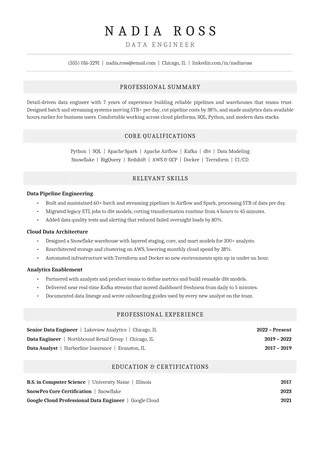
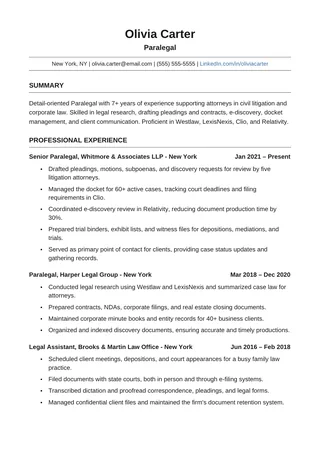
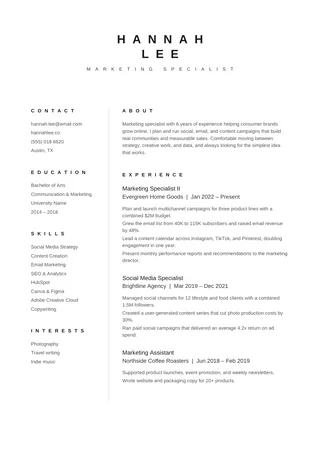
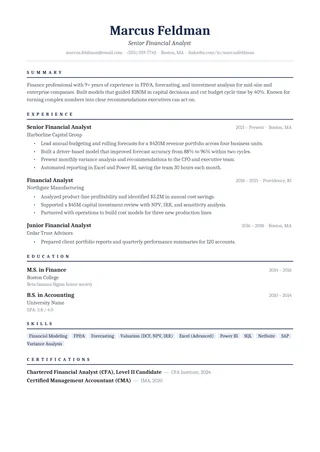
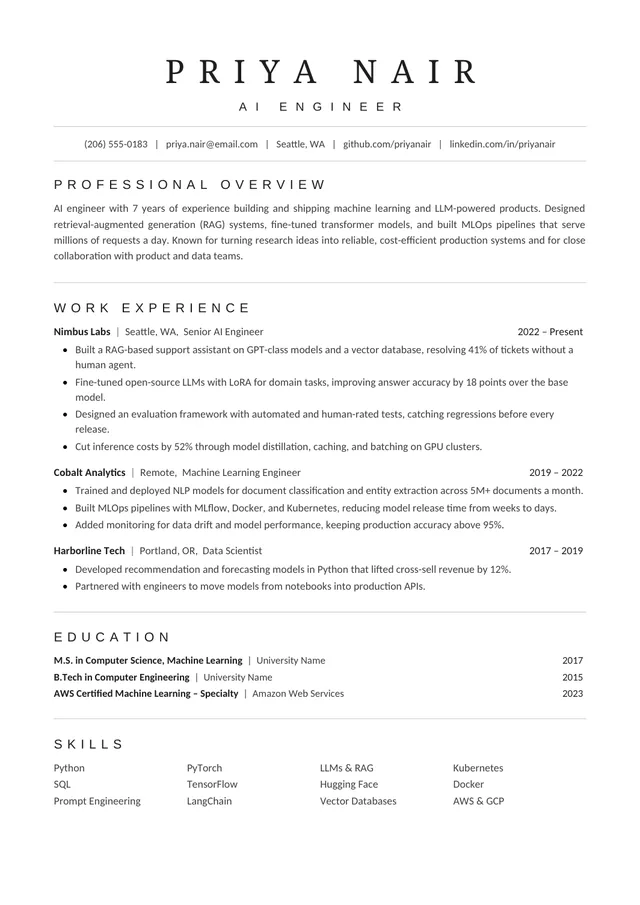
Focused, single-page ATS template with compact sections
One-Page ATS Resume is structured to carry relevant work history, skills, and education on one sheet. Compact section spacing helps use the page efficiently while the core content remains in a single reading column. It is most useful when you can prioritise a short set of accomplishments.
No payment or registration is required to browse the templates. Google Docs may ask you to sign in to create an editable copy.
Template details
- Best for
- Mid-career applicants fitting a full history on one page
- Length
- One page
- Design
- Compact ATS-focused resume
- Category
- One-Page ATS Resume Templates
- Layout
- Single column
- Formats
- Google Docs and Microsoft Word (.docx)
- Price
- Free, no sign-up
USING THIS TEMPLATE
How to customize the One-Page ATS Resume template
Edit to one page by removing low-value content first; never rely on tiny text to fit everything.
Decide what deserves a line
List the requirements you can genuinely demonstrate, then choose experience bullets that prove them. An older position may need only the title, employer, dates, and one line, while a recent relevant role deserves more depth. The one-page limit is not a rule imposed by ATS software, so avoid cutting essential achievements merely to satisfy it. If your history genuinely needs two pages, use the two-page Minimalist ATS layout instead.
Group skills so they scan naturally
Compact resumes benefit from a few short skill groups, but avoid a wall of disconnected buzzwords. Separate tools from methods or industry knowledge only when the distinction clarifies your background. Use plain text rather than skill bars or star ratings. If a critical requirement is listed under Skills, make sure there is also evidence for it in a role or project. This keeps the document persuasive to a human reviewer after the initial screen.
Protect readability as content grows
One extra line can shift the final section into a second page. Try shortening wordy bullets, tightening redundant spacing, or dropping a low-priority detail before changing margins or font size. A single page at an unreadable scale defeats its purpose. Check that section titles and job headings remain distinct even with compact spacing. Do not turn ordinary paragraphs into multi-column blocks merely to reclaim a few lines.
Run a final extraction test
After exporting, inspect the file on a laptop screen and copy its text into a plain-text editor. Confirm that the compact skills section has not merged with the next heading and that employers, job titles, and dates appear in order. Check every link and ensure the uploaded file meets the job portal’s stated format. A concise resume is effective when the information stays clear in both the visual document and its extracted text.
Similar ATS resume templates to compare
If this layout doesn’t quite fit your experience, these are close alternatives:
- Simple One-Page ATS Resume: students, graduates and short work histories (one page).
- Classic Professional ATS Resume: traditional employers and conservative fields (one page).
- Executive ATS Resume: managers, directors and senior leaders (one page).
Or see the full list of one-page ATS resume templates.
Final check for this layout
Review the final reading order, hyperlinks, and dates before uploading. Before submitting, check the final file's selectable text and follow the employer's upload instructions. For practical help, use the ATS resume format guide and our ATS resume guide.